Contact support
Stuck, billed wrong, or found a bug? Here's how to reach the Zoviz team — the contact form and [email protected] — and what to include for a fast answer.
Two ways to reach the team
| Channel | Details |
|---|---|
| Contact form | zoviz.com/contact — fill in Subject, Email, and Your message, then Send message. The form is protected by reCAPTCHA and doesn't require you to be signed in. |
| [email protected] — listed on the same page. |
The page's own promise: "Please send the Zoviz team a message, we'll get back to you shortly." There is no live chat with the team — the form and the email address are the channels. Chat with Zoviz on zoviz.com opens the AI assistant, not the support team (see AI Branding Assistant).
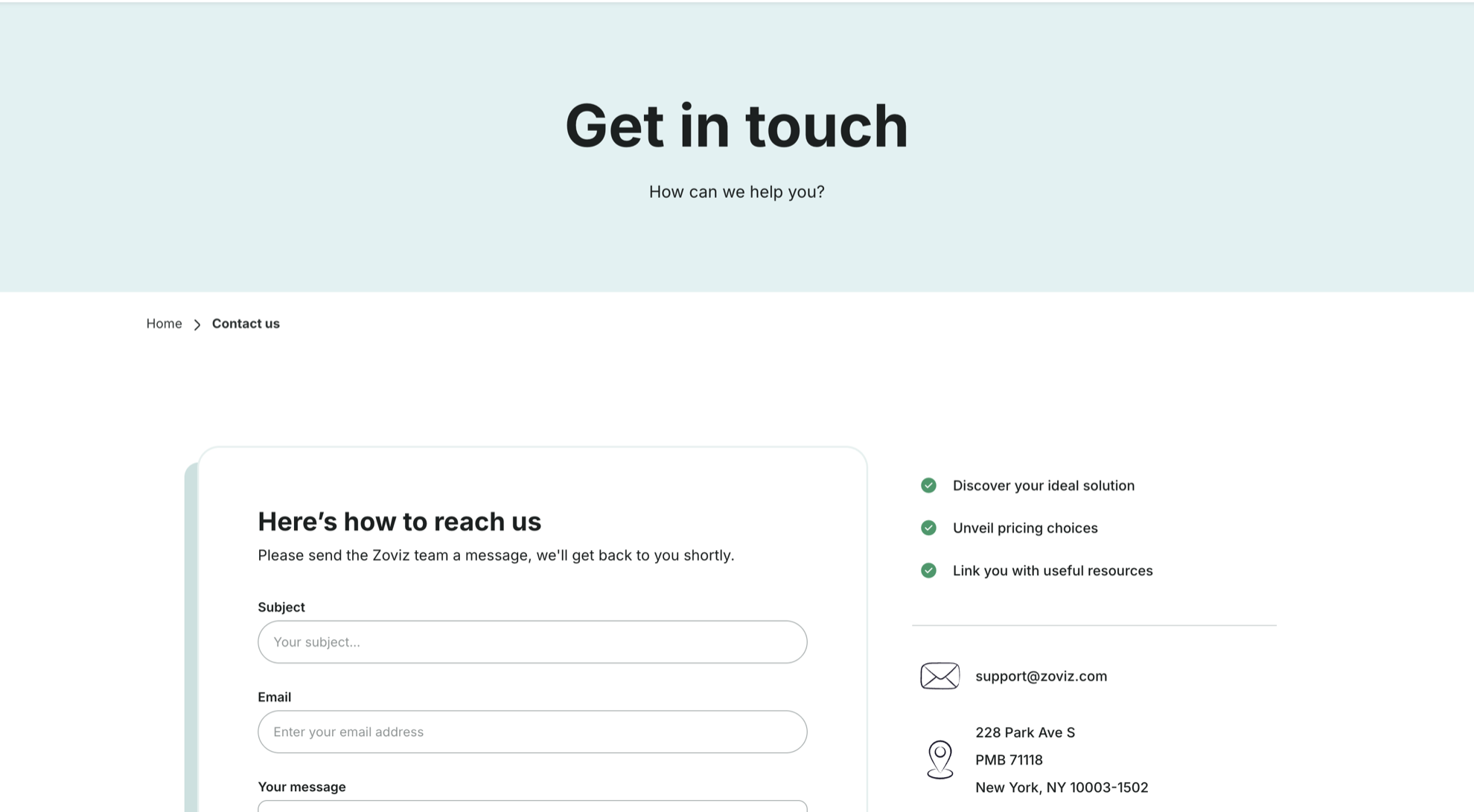
The page also shows Zoviz's postal address (228 Park Ave S, PMB 71118, New York, NY 10003-1502) and links to Zoviz on Facebook, Instagram, YouTube, and X.
Where to find the link
- zoviz.com — open Resources in the top navigation and choose Contact us; it is also under Support in the footer, next to Help center and FAQ.
- In the app — Contact us in the Brand Dashboard's top bar. The Panel sidebar and the account menu have no contact link, so from your dashboard open a brand's Brand Dashboard from its brand card first (Brand Dashboard tour), or go straight to zoviz.com/contact.
- Ask Zoviz — when the Ask page can't match a question to one place, it offers Browse the help center or contact us.
Before you write
Most questions already have an answer here:
- How a tool works — search this help center or ask on the Ask page.
- Payments, invoices, refunds — Billing & subscriptions covers invoices, cancellation, and the refund rules, including the time window for refund-eligible cases.
- Activation codes — Redeem a voucher.
- Licenses and unlocking a brand — Licensing.
- Affiliate commissions — Affiliate FAQ and Affiliate tracking.
What to include
The more of this you send, the fewer follow-up questions you'll get:
- The email address of your Zoviz account — write from it if you can, so the team can find you right away. Locked out? Use the form and put an address you can still read in Email.
- The brand name, and for a specific asset, which tool you were in.
- What you did, what you expected, and what happened instead — with a screenshot or screen recording if something looks wrong.
- For billing: the invoice ID from Account setting → Billing & invoices and the payment date.
- For activation codes: the code and where you got it — and, if you redeemed on the wrong account, both account emails.
- For affiliate questions: your affiliate email; for a referral that wasn't credited, the approximate date, the page you linked to, and how the person reached Zoviz.
Reports that always need a person
Trademark or copyright claims (someone is using your logo), security or abuse reports, account compromise or fraud, and legal matters go to the team — the contact form or [email protected] — not to a tool. Ask Zoviz won't route these anywhere else either.
Related
Still stuck? Ask Zoviz, or use the form and address above.